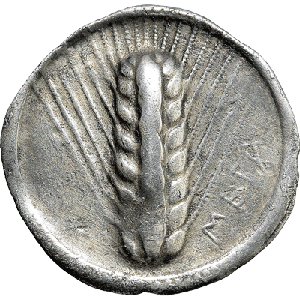
Republican denariusRome · 125–120 BC · 3.89 g
#001Numismatic cataloguing · even offline
Your collection stays with you.
The cloud joins in when you choose.
Sylloge App is a Progressive Web App (PWA): open it in your browser and add it to your device. Keep coins and medals in a complete archive stored on your device. Browse and update it without a connection, then securely sync it across computers, tablets and phones.
- Data available locally
- Works offline
- Multi-device sync
 Sylloge Available offline
YOUR COLLECTIONAn archive made to be explored.
248 coins Search by authority, mint, type or legend
Imperial sestertiusRome · AD 161–180 · 24.62 g
#118AureusAntioch · 2nd c. AD · 7.18 g
#204Synchronization completeYour collection is up to date on every device
Offline-first, for real
Work now. Sync when it helps.
The local database is at the heart of Sylloge. You do not need a network to catalogue, search or browse: sync adds continuity and an extra layer of safety.
01
Local archive
Coins, albums, images and references remain available on your device without Internet access.
02
Two-way sync
When you are back online, changes are aligned between your local copy and your cloud space.
03
All your devices
Continue with the same PWA on computers, tablets and phones, in your browser or from the icon added to your device.
You stay in control. Use Sylloge locally only or enable sync from your profile. Credentials can be protected with a local PIN.
Your complete numismatic workflow
From a single record to a full catalogue.
Specialist fields, images, provenance and documents share one structure built for collectors, researchers and professionals.
Complete numismatic records
Inventory, issuing authority, mint, denomination, chronology, material, obverse, reverse, legends, exergue, weight, diameter, die axis, manufacture, opus, notes and provenance.
Careful imaging
Photograph or import both sides, crop images and remove the background using dedicated credits.
Flexible albums
Organize coins into themed albums. A coin can appear in several collections without duplicating its record.
Search and sorting
Find coins quickly and sort records by inventory code or creation date.
Vocabularies and references
Reuse authorities, mints, denominations, materials, currencies and bibliographies. Import identifiers from Nomisma.org.
Purchases and documents
Record purchase invoices, link the related coins and keep economic information beside the collection.
Print, backup and export
Print records, export and re-import data for backup, and create a PDF catalogue with the Pro plan.
Data control and protection
Local PIN, protected credentials, recoverable trash, separate local and remote deletion, legacy migration, light/dark themes and an Italian or English interface.
A straightforward flow
More time to study your coins.
The record follows the collection’s real journey: acquisition, cataloguing, research, organization and consultation.
- 1Create the recordAdd data, images and provenance.
- 2Organize and connectAlbums, bibliography and purchase documents.
- 3Browse anywhereOffline on device, synchronized when you reconnect.
One PWA, all your devices
WindowsmacOSLinuxiOSAndroidPWA
Open it in your browser and, where supported, add the PWA to your device. The Free plan includes 10 MB of cloud storage and synchronization. Basic and Pro add storage and tools.
Progressive Web App
Sylloge, straight from your browser.
Sylloge is available exclusively as a PWA. Open it online and, if you wish, add it to your computer or your phone’s Home Screen. No local installers or app store downloads are needed.
Open SyllogeComputers and Android
Open Sylloge in your browser. Where available, use “Install app” or “Add to Home Screen” in the browser menu.
iPhone and iPad
Open Sylloge in Safari, tap “Share” and choose “Add to Home Screen”. Confirm by tapping “Add”.
Your first visit needs an Internet connection. After the initial load, you can work offline and sync when you reconnect.
The collection is yours